Picture this: a favorite walking route, a light jacket, a little pep in your step—and the quiet satisfaction of doing something independently. For many older adults, a daily walk isn’t just exercise; it’s identity. But families often carry a second picture in their heads: one wrong turn, a sudden “this street looks unfamiliar,” and the clock starts ticking.
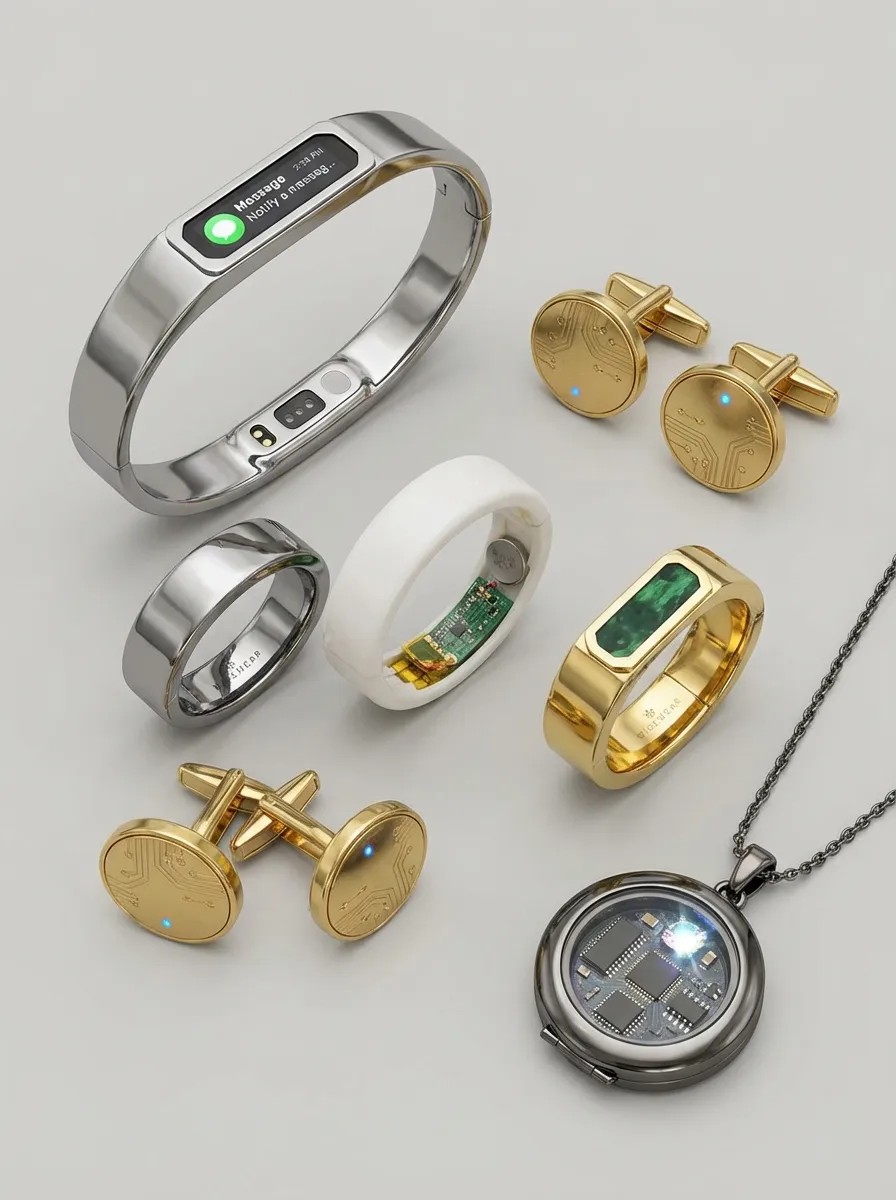
That’s exactly why the conversation is shifting from “Should you stop walking alone?” to “What’s the safest way to keep walking?” In that gap, two options stand out: the classic medical alert pendant and a newer category of GPS-enabled smart jewelry (rings and pendants designed to look like premium accessories) that can send location updates and geofencing alerts when someone strays outside a set area.
This article compares both approaches in plain language—what they’re good at, where they fall short, and how senior centers can help members and caregivers choose something that fits real life.
What Problem Are We Solving: Falls, Disorientation, or Both?
Before comparing devices, it helps to name the risk. Many people default to “medical alert” when they mean “fall risk.” Others are more worried about occasional disorientation outdoors—especially for seniors who are otherwise active, social, and capable but may have memory changes, vision issues, medication side effects, or simple moments of confusion.
These are related but not identical problems. A device that’s excellent at home emergencies might be only “okay” for finding someone quickly outdoors. And a device built around GPS tracking might not be the simplest or most reliable “press for help” tool in a stressful moment.
So the best device is not the one with the longest feature list. It’s the one that matches the most likely scenario—and will actually be worn consistently.
The Medical Pendant: A Classic for a Reason
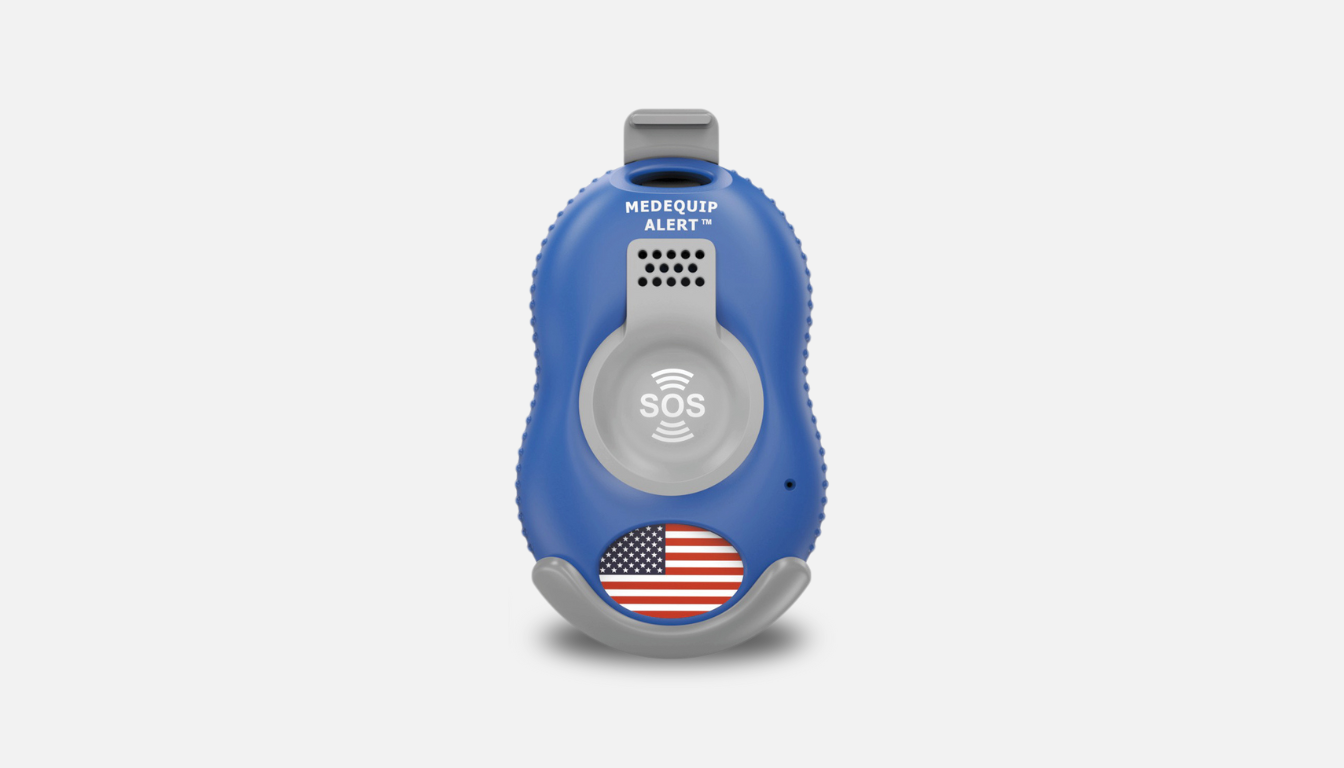
The traditional medical pendant is built around a simple promise: when you need help, you press one button and connect to assistance. That clarity is powerful. There’s minimal learning curve, the purpose is obvious, and it’s designed for fast action in an emergency.
For many seniors—especially those with higher fall risk, balance concerns, or chronic health conditions—the pendant’s biggest advantage is ease. It doesn’t ask you to navigate menus, interpret multiple alerts, or remember what a certain vibration pattern means. It’s a straightforward lifeline.
That simplicity, though, can come with a tradeoff. A classic pendant setup is often best for “I need help now,” not “I might be getting lost.” Some newer medical alert systems do include GPS features, but the category’s core strength remains rapid emergency response.
Smart Jewelry: Safety That Tries to Look Like Style
Smart jewelry is trying to solve a different barrier: willingness. Many older adults don’t want to wear something that feels medical or signals vulnerability. A ring or sleek pendant that looks like everyday jewelry can feel more natural—and therefore gets worn more often.
Where smart jewelry shines is proactive safety for seniors who like to be out and about. GPS location sharing and geofencing can give caregivers an early warning when a senior leaves a predefined “safe zone,” like a neighborhood loop, the route between home and a coffee shop, or the general area around a senior center. That earlier signal can be the difference between a quick course-correction and a longer, more stressful search.
But smart jewelry is still technology. Its safety depends on battery charge, cellular/GPS signal, and correct setup. A beautiful device that’s dead, sitting on the dresser, or configured with confusing boundaries is worse than useless—it can create a false sense of security.
Side-by-Side Comparison
Category
GPS-Enabled Smart Jewelry (rings/pendants)
Traditional Medical Alert Pendant
Best at
Location awareness while out; geofencing alerts
Fast emergency response, especially at home
Discretion
Designed to look like an accessory
Often looks “medical,” though some are smaller now
Ease of use day-to-day
Can be easy to wear, but requires charging and app setup
Not worn consistently; limited proactive location features
Ideal for
Independent walkers who want discreet protection
Seniors focused on fall safety and simple emergency support
Geofencing: The Feature Everyone Loves (Until It’s Annoying)
Geofencing sounds perfect: draw a circle on a map and get an alert if someone goes outside it. In real life, it works best when it’s designed around a senior’s true routine, not an imaginary “perfect routine.”
If the boundary is too tight, you’ll get constant alerts—walking the dog a slightly different way, stopping at a neighbor’s, taking a longer route on a good day. Too many alerts can train caregivers to ignore notifications, which defeats the purpose.
A better approach is to build a “comfort zone” that includes normal variation. Then create a clear plan for what happens when an alert arrives. Is it a quick phone call? A check of the map first? A neighbor who can walk outside and look? Technology works best when it triggers a calm, predictable response—not panic.
What Actually Matters When Choosing
Will it be worn every day? The most advanced device in a drawer is just a fancy paperweight. If a senior hates the look of a medical pendant but loves wearing a ring, that matters. If a senior dislikes rings and finds a pendant comforting, that matters too.
Who will manage the setup? Smart jewelry often requires someone to set safe zones, configure contacts, and understand how alerts arrive. If nobody is reliably available to manage that, the simpler option may be the safer option.
Is the main worry indoors or outdoors? Falls often happen at home. Disorientation usually happens out and about. Many families pick one device assuming it covers everything—and then realize later that it doesn’t match the real risk they were worried about.
How quickly can someone respond? A device can only speed up help if help is available. If a caregiver is an hour away, it may be worth building a neighbor or senior-center buddy system into the response plan.
How Senior Centers Can Make This Easier (Without Making It Awkward)
Senior centers are a natural bridge between independence and support. This isn’t just about gadgets; it’s about confidence. Centers can normalize wearable safety tools by framing them as “walking support” rather than “medical monitoring.”
One practical idea is a short “Wearables & Walking Confidence” workshop where staff or volunteers help members think through routines: where they walk, when they walk, what they carry, and what plan they want in place if they get turned around. It helps everyone focus on real-life behavior instead of fear-based hypotheticals.
Centers can also add a low-tech layer that helps regardless of device choice: a walking group with a simple check-in/check-out habit, a buddy system for longer routes, or a “keys-phone-wearable-water” reminder before group walks. Those small routines reduce risk even when technology fails.
If you’re building out tech programming or want more senior-friendly technology topics, the Technology Tips section is a natural place to continue learning and spark discussion.
The “Both” Option: When Layering Makes Sense
For some seniors, the best answer is not smart jewelry or a medical pendant—it’s a split strategy. A simple medical pendant can stay in the daily routine for fall safety at home, while a GPS-enabled wearable supports confidence on walks.
That said, layering only works if it stays realistic. If wearing two devices feels burdensome, it may be better to choose one and make it a strong habit rather than juggling multiple tools inconsistently.
Resources
If you’re weighing options, it helps to combine technology with community support. Here are a few resources that tend to fit naturally into this decision:
Local senior centers for walking groups, caregiver support, and tech-friendly classes. You can browse locations here: Senior Centers.
Your primary care clinician to review medications and health factors that can increase confusion or dizziness.
Area Agency on Aging (AAA) for local caregiver resources and safety programs.
Alzheimer’s Association (if memory changes are part of the picture) for safety guidance and support.
Bottom Line
Smart jewelry is changing how safety can look—discreet, stylish, and built for life outside the house. Medical pendants remain the classic choice for fast, simple emergency response. The right fit depends on the senior’s routine, the family’s ability to manage setup and charging, and the specific risk you’re trying to reduce.
Whatever you choose, the goal isn’t to shrink a senior’s world. It’s to keep it open—so that a walk stays a walk, not a worry.
Browse thousands of Senior Centers from around America. Senior Centers are an integral part of society and are the center of life for many seniors and aging adults.
Find a Senior Center which fits your needs using our search feature and keep up to date on all the latest news.
Advertisers are not endorsed by SeniorCenters.com or any senior center listed. This site is not endorsed by or affiliated with any senior center or organization listed.
To provide the best experiences, we use technologies like cookies to store and/or access device information. Consenting to these technologies will allow us to process data such as browsing behaviour or unique IDs on this site. Not consenting or withdrawing consent, may adversely affect certain features and functions.
Functional
Always active
The technical storage or access is strictly necessary for the legitimate purpose of enabling the use of a specific service explicitly requested by the subscriber or user, or for the sole purpose of carrying out the transmission of a communication over an electronic communications network.
Preferences
The technical storage or access is necessary for the legitimate purpose of storing preferences that are not requested by the subscriber or user.
Statistics
The technical storage or access that is used exclusively for statistical purposes.The technical storage or access that is used exclusively for anonymous statistical purposes. Without a subpoena, voluntary compliance on the part of your Internet Service Provider, or additional records from a third party, information stored or retrieved for this purpose alone cannot usually be used to identify you.
Marketing
The technical storage or access is required to create user profiles to send advertising, or to track the user on a website or across several websites for similar marketing purposes.